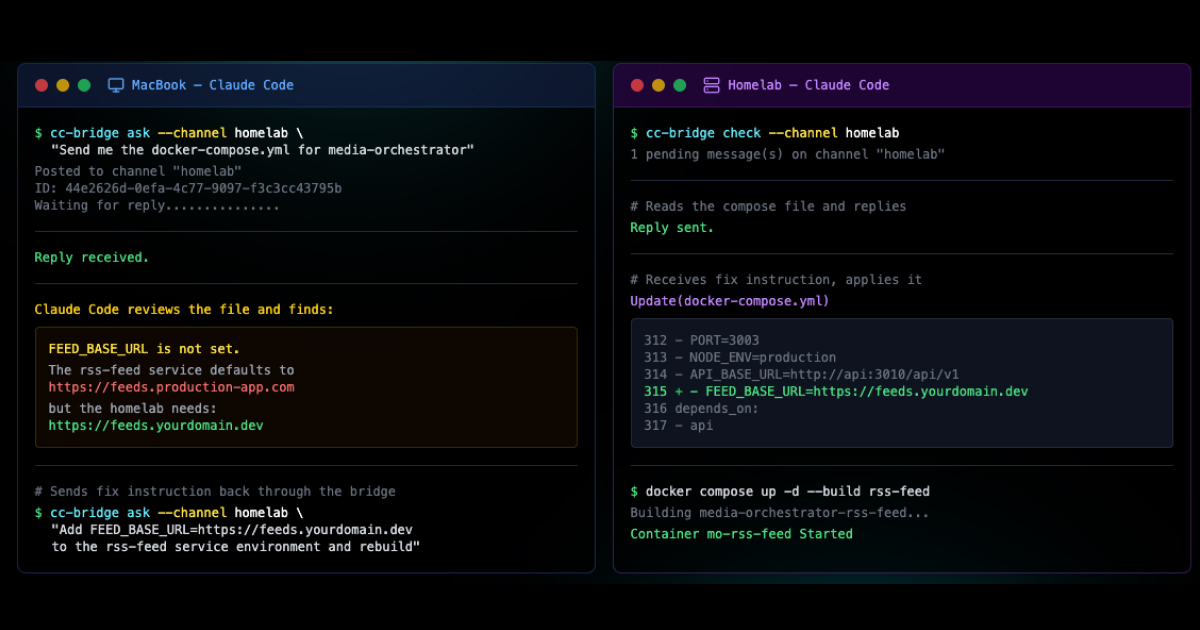
The Problem
MCP servers are the default recommendation for connecting Claude Code to external services. They work, but they add overhead. Every call goes through a protocol layer, and when you're deep in a coding session and need to create a Jira epic with 15 subtasks, that latency adds up.
I needed something that matched the speed I was already working at. Not a wrapper around a wrapper. A direct line from Claude Code to Jira.
MCP Approach
4 layers, protocol negotiation on every call
CLI Approach
2 layers, direct HTTP call, zero middleware
The Approach
Instead of wrapping Jira in an MCP server, I built a lightweight CLI plugin that Claude Code calls directly as a shell command. No protocol negotiation, no middleware. Just a direct authenticated call to the Jira API, formatted output back to Claude Code, done.
Claude Code already has full shell access. It can run any command in the terminal. So why add a protocol layer when you can just give it a well-structured CLI tool?
If Claude Code can run shell commands natively,
Then a CLI tool is the fastest possible integration path,
Because it removes every layer between intent and execution.
The Tech Stack
Minimal dependencies, maximum speed. The whole tool is a single Node.js package installed globally so Claude Code can call it like any other terminal command.
Commander.js
Argument parsing with structured subcommands. Clean help output Claude Code can read.
Jira REST API v3
Direct HTTP calls to Jira Cloud. No SDK wrapper, no abstraction layer.
Mac Keychain
API tokens stored securely in the OS keychain. No .env files, no plaintext credentials.
Global Install
npm link puts jira-cli on PATH. Claude Code calls it like git or docker.
What It Does
Create issues, search with JQL, transition statuses, add comments, list projects, and bulk create epics with subtasks. All from within a Claude Code session without ever opening the Jira UI.
Create Issues
Stories, tasks, bugs, epics with full field support
JQL Search
Complex queries with formatted JSON output
Transition Status
Move tickets through workflow states
Add Comments
Post updates to any ticket inline
Bulk Epic Creation
Create parent epic with subtasks in one pass
List Projects
Discover available projects and metadata
# Create an epic
$ jira-cli create-issue --project MO --type Epic \
--summary "RSS Feed Service Refactor"
Created: MO-142 (Epic)
# Add subtasks to the epic
$ jira-cli create-issue --project MO --type Task \
--summary "Add FEED_BASE_URL environment variable" \
--parent MO-142
Created: MO-143 (Task) → parent: MO-142
$ jira-cli create-issue --project MO --type Task \
--summary "Update feed proxy URL generation" \
--parent MO-142
Created: MO-144 (Task) → parent: MO-142
$ jira-cli create-issue --project MO --type Task \
--summary "Write integration tests for feed endpoints" \
--parent MO-142
Created: MO-145 (Task) → parent: MO-142
# Transition the epic to In Progress
$ jira-cli transition MO-142 --status "In Progress"
MO-142 → In Progress
The Speed Difference
The MCP approach requires connection setup, tool discovery, and protocol overhead on every call. The CLI plugin is a direct HTTP call with zero middleware.
In real usage, creating a full epic with subtasks went from a sluggish, multi-step MCP process to a single command that finishes before you can switch windows.
Response Time Comparison
The CLI eliminates connection, discovery, and serialization overhead entirely
The Real Win
The speed isn't just about seconds saved. It's about staying in flow. When Claude Code can fire off Jira updates as fast as it can write code, project management stops being a separate activity and becomes part of the development process.
I'm writing code and the tickets update themselves as the work happens. No context switching to a browser tab, no copy-pasting ticket IDs, no waiting for a UI to load. The work and the tracking of the work happen in the same terminal.
Zero Context Switches
Project management happens inline with development, not in a separate browser tab
Instant Execution
Claude Code runs jira-cli as a shell command. No connection setup, no handshake, no waiting.
Flow State Preserved
Tickets get created and updated as part of the coding session. The context never breaks.
AI-Native Workflow
Claude Code reads Jira output as JSON and uses it to inform the next code change. Tight feedback loop.
Why This Approach Works
MCP has its place for complex integrations that need bidirectional communication and state management. But for command-and-response tools like Jira, the simplest path is the best one.
A CLI tool is debuggable, testable, and portable. It works in Claude Code today and it'll work in whatever comes next, because shell commands aren't going anywhere.
- No protocol lock-in: Works with any AI tool that has shell access, not just MCP-compatible clients.
- JSON output by default: Every command returns structured JSON that AI models can parse and act on immediately.
- Secure credential handling: API tokens in the OS keychain, not in environment variables or config files.
- Composable: Chain commands with standard shell tools. Pipe output to jq, grep, or other CLI tools.